Domain zko.at kaufen?
Wir ziehen mit dem Projekt
zko.at um.
Sind Sie am Kauf der Domain
zko.at interessiert?
domain@kv-gmbh.de · 0541-91531010
Domain zko.at kaufen?
Was sind versteckte Funktionen des Motorola Moto G?
Das Motorola Moto G verfügt über einige versteckte Funktionen, die möglicherweise nicht sofort offensichtlich sind. Eine dieser Funktionen ist die Möglichkeit, den Bildschirm durch doppeltes Tippen darauf zu aktivieren. Eine weitere versteckte Funktion ist die Möglichkeit, das Gerät durch das Zeichnen eines Buchstabens auf dem Bildschirm zu entsperren. Darüber hinaus bietet das Moto G auch die Möglichkeit, Gesten zu verwenden, um bestimmte Aktionen wie das Öffnen der Kamera oder das Einschalten der Taschenlampe auszuführen. **
Warum geht meine Motorola Moto 360 aus?
Es gibt verschiedene Gründe, warum deine Motorola Moto 360 sich ausschalten könnte. Es könnte sein, dass der Akku leer ist und aufgeladen werden muss. Es könnte auch sein, dass es ein Softwareproblem gibt, das dazu führt, dass sich das Gerät ausschaltet. In einigen Fällen kann ein Hardwareproblem vorliegen, das eine Reparatur erfordert. **
Ähnliche Suchbegriffe für Motorola-Moto-G67-4-128
Top-Angebote
Produkte zum Begriff Motorola-Moto-G67-4-128:
-
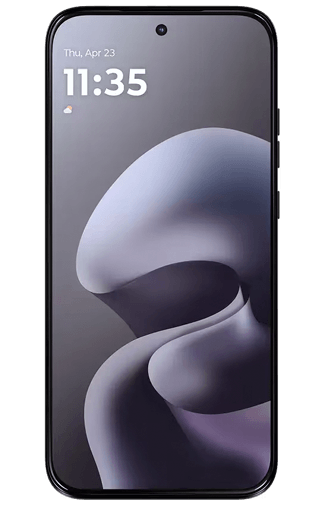
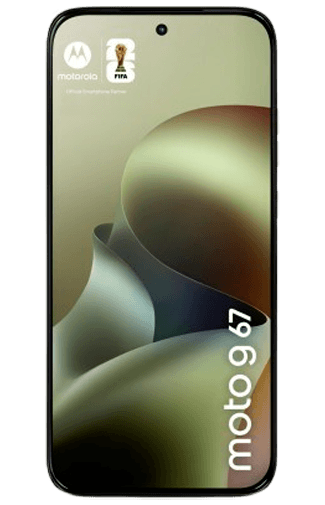
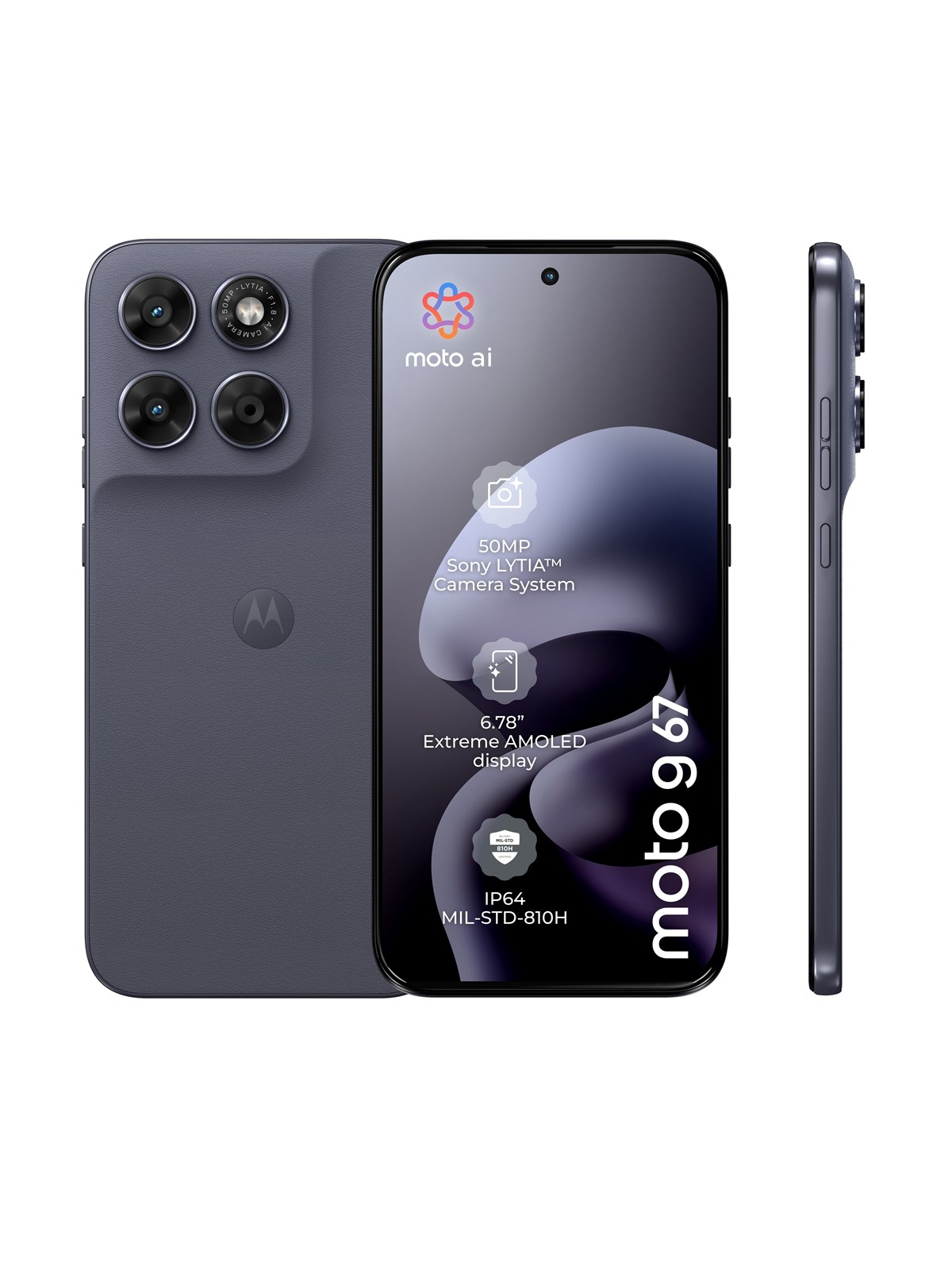
Motorola moto g67 128GB/4GB - PANTONE Arctic Seal6.78" 120Hz 5000nits Extreme AMOLED Display with Gorilla Glass 7i, 5G, Dual SIM (nanoSIM + eSIM), Dimensity 6300, 4 GB RAM, 128 GB Flash, microSD, Dual Camera System: 50MPixel f/1.8 Main + 8MPixel f/2.2 UltraWide (Back), 32MPixel (Front), Stereo Speakers with Dolby Atmos, Android 16, Wi-Fi 5, BT 5.4, NFC, MIL-STD 810H, IP64, 5200 mAh Battery, 30W Wired Charging, 182 gram169,00 €*Versand: 0,00 €Sichere Weiterleitung zum Anbieter
-
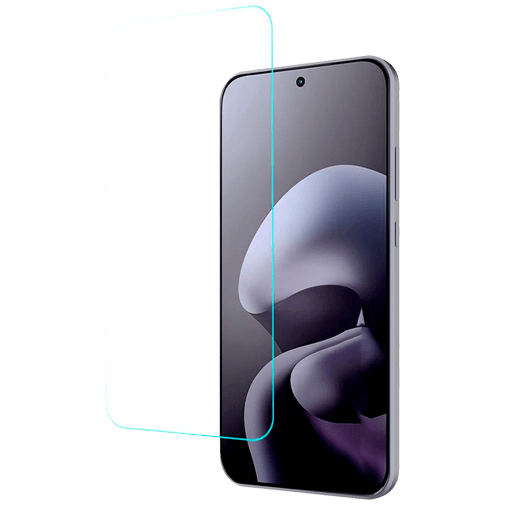
Tech-Protect Wallet Case for Motorola Moto G67 / G77 - BlackThe Tech-Protect Wallet case made of eco-leather combines elegance with practicality. Comfortable and durable in use, it impresses with its classic style and original design, which is perfect for both formal and everyday situations. One of the main advantages of the cover is the built-in stand function, thanks to which you can freely watch videos, use video calls or view content in landscape mode, without having to hold the phone in your hand. The case provides a stable support for the device, significantly increasing the comfort of use. Internal pockets offer convenient storage for documents, credit cards, or cash. Thanks to this, you always have all the most important things with you - a practical and functional solution for people who value organization and minimalism in everyday life. The Tech-Protect Wallet case is refined in every detail. Precise stitching adds a stylish character to it and at the same time strengthens the durability of the structure. The phone is mounted on a base made of flexible but durable TPU, which provides protection against accidental falls, scratches and other mechanical damage. The magnetic closure makes opening and closing the case quick and convenient, while keeping your phone securely inside, protecting it from accidental opening during transport.12,94 €*Versand: 6,99 €Sichere Weiterleitung zum Anbieter
-
Tech-Protect CamShield Pro Case for Motorola Moto G67 / G77 - BlackThe Tech-Protect CamShield Pro armored case is a perfect protection for the entire device against falls and scratches. The advanced hybrid design combines high-quality TPU and PC components to create reliable protection at the highest level. Flexible and shock-absorbing polyurethane works with durable, abrasion-resistant polycarbonate to provide comprehensive protection for your phone in all conditions. Precise workmanship and perfect fit guarantee full functionality of the device while maintaining maximum safety. A distinguishing feature of the case is the practical slider - a simple and convenient lens hood that can be closed at any time. The mechanism effectively protects the camera from unexpected damage, scratches and provides additional privacy protection. The innovative 360-degree rotating ring is a multifunctional solution that is perfect as a stand for watching movies, a comfortable finger holder for a secure grip on the phone in your hand, as well as a mount for a magnetic car holder. Easy to install and disassemble, Tech-Protect CamShield Pro is the perfect combination of advanced protection with the practicality of everyday use.11,32 €*Versand: 6,99 €Sichere Weiterleitung zum Anbieter


-
Warum startet das Motorola Moto G nicht mehr?
Es gibt verschiedene mögliche Gründe, warum das Motorola Moto G nicht mehr startet. Es könnte ein Softwareproblem geben, wie zum Beispiel ein eingefrorenes Betriebssystem oder ein fehlerhaftes Update. Es könnte auch ein Hardwareproblem vorliegen, wie zum Beispiel ein defekter Akku oder ein beschädigtes Motherboard. Es ist empfehlenswert, das Gerät zu einem autorisierten Servicecenter zu bringen, um das Problem zu diagnostizieren und eine Lösung zu finden. **
-
Was ist der Hintergrund des Motorola Moto G4 Play?
Das Motorola Moto G4 Play ist ein Smartphone, das von Motorola entwickelt und hergestellt wurde. Es wurde im Jahr 2016 veröffentlicht und ist Teil der Moto G-Serie von Motorola. Das Moto G4 Play zeichnet sich durch sein erschwingliches Preis-Leistungs-Verhältnis und seine solide Leistung aus. **
-
Wie kann ich eine Sprachaufnahme beim Motorola Moto G machen?
Um eine Sprachaufnahme auf dem Motorola Moto G zu machen, öffne die "Sprachaufnahme"-App auf deinem Gerät. Drücke auf den roten Aufnahmebutton, um die Aufnahme zu starten, und auf den Stoppbutton, um die Aufnahme zu beenden. Die Aufnahme wird automatisch in der Galerie-App gespeichert. **
-
Warum wird das Motorola Moto G vom Laptop nicht erkannt?
Es gibt mehrere mögliche Gründe, warum das Motorola Moto G vom Laptop nicht erkannt wird. Es könnte sein, dass das USB-Kabel defekt ist oder nicht richtig angeschlossen wurde. Es könnte auch sein, dass der Treiber für das Moto G nicht auf dem Laptop installiert ist oder veraltet ist. Eine andere Möglichkeit ist, dass das Moto G nicht im richtigen Modus (z.B. MTP-Modus) eingestellt ist, um von einem Laptop erkannt zu werden. **

Wie kann man die Schrift beim Motorola Moto G ändern?
Um die Schrift beim Motorola Moto G zu ändern, musst du zuerst in die Einstellungen gehen. Dort findest du den Menüpunkt "Anzeige" oder "Darstellung". In diesem Menü kannst du die Schriftart auswählen und anpassen. **
Wie kann man die Firmware des Motorola Moto Z flashen?
Um die Firmware des Motorola Moto Z zu flashen, müssen Sie zuerst den Bootloader entsperren. Anschließend können Sie eine benutzerdefinierte Wiederherstellung wie TWRP installieren und die Firmware-Datei auf Ihr Gerät übertragen. Von dort aus können Sie die Firmware flashen, indem Sie die entsprechenden Anweisungen in der Wiederherstellung befolgen. Es ist wichtig zu beachten, dass das Flashen der Firmware Ihr Gerät möglicherweise auf die Werkseinstellungen zurücksetzt und alle Daten löscht, daher sollten Sie vorher eine Sicherungskopie erstellen. **
Top-Angebote
Produkte zum Begriff Motorola-Moto-G67-4-128:
-
Motorola moto g67 128GB/4GB - PANTONE Arctic Seal6.78" 120Hz 5000nits Extreme AMOLED Display with Gorilla Glass 7i, 5G, Dual SIM (nanoSIM + eSIM), Dimensity 6300, 4 GB RAM, 128 GB Flash, microSD, Dual Camera System: 50MPixel f/1.8 Main + 8MPixel f/2.2 UltraWide (Back), 32MPixel (Front), Stereo Speakers with Dolby Atmos, Android 16, Wi-Fi 5, BT 5.4, NFC, MIL-STD 810H, IP64, 5200 mAh Battery, 30W Wired Charging, 182 gram169,00 €*Versand: 0,00 €Sichere Weiterleitung zum Anbieter
-
Tech-Protect Wallet Case for Motorola Moto G67 / G77 - BlackThe Tech-Protect Wallet case made of eco-leather combines elegance with practicality. Comfortable and durable in use, it impresses with its classic style and original design, which is perfect for both formal and everyday situations. One of the main advantages of the cover is the built-in stand function, thanks to which you can freely watch videos, use video calls or view content in landscape mode, without having to hold the phone in your hand. The case provides a stable support for the device, significantly increasing the comfort of use. Internal pockets offer convenient storage for documents, credit cards, or cash. Thanks to this, you always have all the most important things with you - a practical and functional solution for people who value organization and minimalism in everyday life. The Tech-Protect Wallet case is refined in every detail. Precise stitching adds a stylish character to it and at the same time strengthens the durability of the structure. The phone is mounted on a base made of flexible but durable TPU, which provides protection against accidental falls, scratches and other mechanical damage. The magnetic closure makes opening and closing the case quick and convenient, while keeping your phone securely inside, protecting it from accidental opening during transport.12,94 €*Versand: 6,99 €Sichere Weiterleitung zum Anbieter
-
Was sind versteckte Funktionen des Motorola Moto G?
Das Motorola Moto G verfügt über einige versteckte Funktionen, die möglicherweise nicht sofort offensichtlich sind. Eine dieser Funktionen ist die Möglichkeit, den Bildschirm durch doppeltes Tippen darauf zu aktivieren. Eine weitere versteckte Funktion ist die Möglichkeit, das Gerät durch das Zeichnen eines Buchstabens auf dem Bildschirm zu entsperren. Darüber hinaus bietet das Moto G auch die Möglichkeit, Gesten zu verwenden, um bestimmte Aktionen wie das Öffnen der Kamera oder das Einschalten der Taschenlampe auszuführen. **
-
Warum geht meine Motorola Moto 360 aus?
Es gibt verschiedene Gründe, warum deine Motorola Moto 360 sich ausschalten könnte. Es könnte sein, dass der Akku leer ist und aufgeladen werden muss. Es könnte auch sein, dass es ein Softwareproblem gibt, das dazu führt, dass sich das Gerät ausschaltet. In einigen Fällen kann ein Hardwareproblem vorliegen, das eine Reparatur erfordert. **
-
Warum startet das Motorola Moto G nicht mehr?
Es gibt verschiedene mögliche Gründe, warum das Motorola Moto G nicht mehr startet. Es könnte ein Softwareproblem geben, wie zum Beispiel ein eingefrorenes Betriebssystem oder ein fehlerhaftes Update. Es könnte auch ein Hardwareproblem vorliegen, wie zum Beispiel ein defekter Akku oder ein beschädigtes Motherboard. Es ist empfehlenswert, das Gerät zu einem autorisierten Servicecenter zu bringen, um das Problem zu diagnostizieren und eine Lösung zu finden. **
-
Was ist der Hintergrund des Motorola Moto G4 Play?
Das Motorola Moto G4 Play ist ein Smartphone, das von Motorola entwickelt und hergestellt wurde. Es wurde im Jahr 2016 veröffentlicht und ist Teil der Moto G-Serie von Motorola. Das Moto G4 Play zeichnet sich durch sein erschwingliches Preis-Leistungs-Verhältnis und seine solide Leistung aus. **
Ähnliche Suchbegriffe für Motorola-Moto-G67-4-128
-
Tech-Protect CamShield Pro Case for Motorola Moto G67 / G77 - BlackThe Tech-Protect CamShield Pro armored case is a perfect protection for the entire device against falls and scratches. The advanced hybrid design combines high-quality TPU and PC components to create reliable protection at the highest level. Flexible and shock-absorbing polyurethane works with durable, abrasion-resistant polycarbonate to provide comprehensive protection for your phone in all conditions. Precise workmanship and perfect fit guarantee full functionality of the device while maintaining maximum safety. A distinguishing feature of the case is the practical slider - a simple and convenient lens hood that can be closed at any time. The mechanism effectively protects the camera from unexpected damage, scratches and provides additional privacy protection. The innovative 360-degree rotating ring is a multifunctional solution that is perfect as a stand for watching movies, a comfortable finger holder for a secure grip on the phone in your hand, as well as a mount for a magnetic car holder. Easy to install and disassemble, Tech-Protect CamShield Pro is the perfect combination of advanced protection with the practicality of everyday use.11,32 €*Versand: 6,99 €Sichere Weiterleitung zum Anbieter
-
Tech-Protect Magmat MagSafe Case for Motorola Moto G67 / G77 - matte blackThe Tech-Protect Magmat MagSafe case combines elegant design with the highest level of protection. The hybrid design uses high-quality TPU and PC components, guaranteeing comprehensive protection for your smartphone. The flexible frame made of polyurethane plastic perfectly absorbs impacts and protects the phone during falls, while the hard polycarbonate back effectively protects against scratches and mechanical damage. The transparent finish emphasizes the original appearance of the device, while maintaining its unique character. The raised form of the housing around the camera and screen protects the most sensitive components from contact with a flat surface. The built-in magnetic ring ensures full MagSafe compatibility, allowing you to use magnetic accessories. Precise cutouts guarantee full access to all ports, buttons and speakers.9,92 €*Versand: 5,99 €Sichere Weiterleitung zum Anbieter
-
Wie kann ich eine Sprachaufnahme beim Motorola Moto G machen?
Um eine Sprachaufnahme auf dem Motorola Moto G zu machen, öffne die "Sprachaufnahme"-App auf deinem Gerät. Drücke auf den roten Aufnahmebutton, um die Aufnahme zu starten, und auf den Stoppbutton, um die Aufnahme zu beenden. Die Aufnahme wird automatisch in der Galerie-App gespeichert. **
-
Warum wird das Motorola Moto G vom Laptop nicht erkannt?
Es gibt mehrere mögliche Gründe, warum das Motorola Moto G vom Laptop nicht erkannt wird. Es könnte sein, dass das USB-Kabel defekt ist oder nicht richtig angeschlossen wurde. Es könnte auch sein, dass der Treiber für das Moto G nicht auf dem Laptop installiert ist oder veraltet ist. Eine andere Möglichkeit ist, dass das Moto G nicht im richtigen Modus (z.B. MTP-Modus) eingestellt ist, um von einem Laptop erkannt zu werden. **
-
Wie kann man die Schrift beim Motorola Moto G ändern?
Um die Schrift beim Motorola Moto G zu ändern, musst du zuerst in die Einstellungen gehen. Dort findest du den Menüpunkt "Anzeige" oder "Darstellung". In diesem Menü kannst du die Schriftart auswählen und anpassen. **
-
Wie kann man die Firmware des Motorola Moto Z flashen?
Um die Firmware des Motorola Moto Z zu flashen, müssen Sie zuerst den Bootloader entsperren. Anschließend können Sie eine benutzerdefinierte Wiederherstellung wie TWRP installieren und die Firmware-Datei auf Ihr Gerät übertragen. Von dort aus können Sie die Firmware flashen, indem Sie die entsprechenden Anweisungen in der Wiederherstellung befolgen. Es ist wichtig zu beachten, dass das Flashen der Firmware Ihr Gerät möglicherweise auf die Werkseinstellungen zurücksetzt und alle Daten löscht, daher sollten Sie vorher eine Sicherungskopie erstellen. **
* Alle Preise verstehen sich inklusive der gesetzlichen Mehrwertsteuer und ggf. zuzüglich Versandkosten. Die Angebotsinformationen basieren auf den Angaben des jeweiligen Shops und werden über automatisierte Prozesse aktualisiert. Eine Aktualisierung in Echtzeit findet nicht statt, so dass es im Einzelfall zu Abweichungen kommen kann. ** Hinweis: Teile dieses Inhalts wurden von KI erstellt.